 Experience-led website
01 / 15
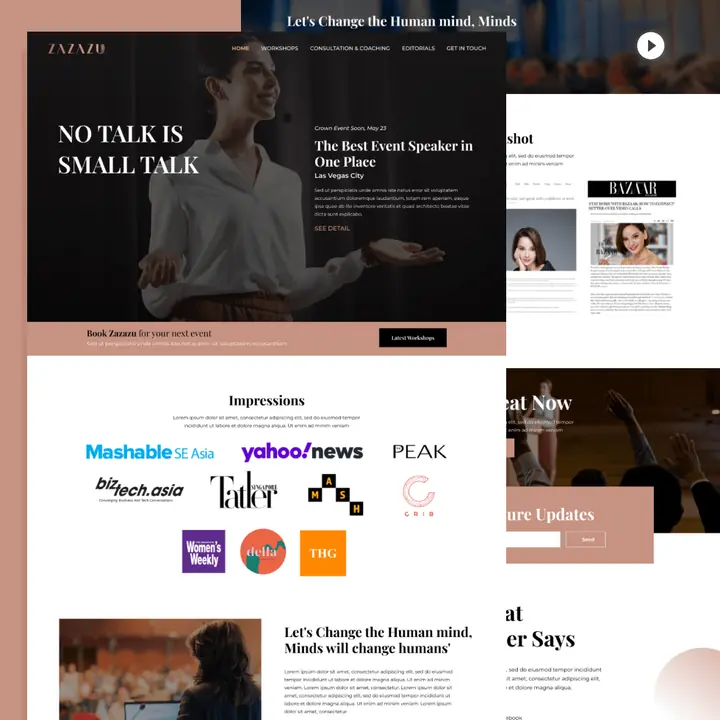
ZaZaZu
Editorial website experience with content hierarchy, storytelling and a clear path to explore.
View project on Behance
I design website, dashboard and web application interfaces around hierarchy, usability, responsive behavior and the action a user needs to take next.
Shape screens around what users need to understand, decide and do on real devices.
The work starts with a user task, then makes the screen easier to understand and use—not simply more decorative.
Find the primary action, confusing detours and information users need before deciding.
Create a visible hierarchy, clear navigation, useful form states and fewer competing actions.
Adapt priorities and interactions for laptop, tablet and mobile rather than scaling down a desktop.
Reducing friction can make the enquiry path easier to find and complete.
A clearer journey helps visitors understand the offer and complete the next action. These are illustrative interface states, not measured client results.
Unclear hierarchy, competing actions and a form buried below unrelated content.
One clear headline, intentional hierarchy and a visible next step.
From website experiences and brand-led interfaces to product browsing and responsive screens, explore a selection of real design work.
15 interface previews · Website & app experiencesExperience-led websiteEditorial website experience with content hierarchy, storytelling and a clear path to explore.
View project on Behance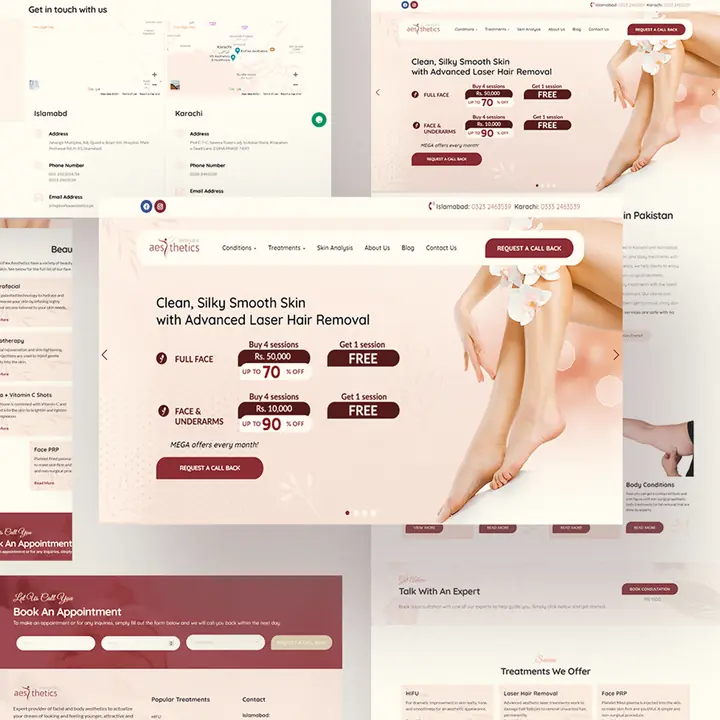 Healthcare & wellness UI
Treatment-focused landing page interfaces with structured service information and clear actions.
View project on Behance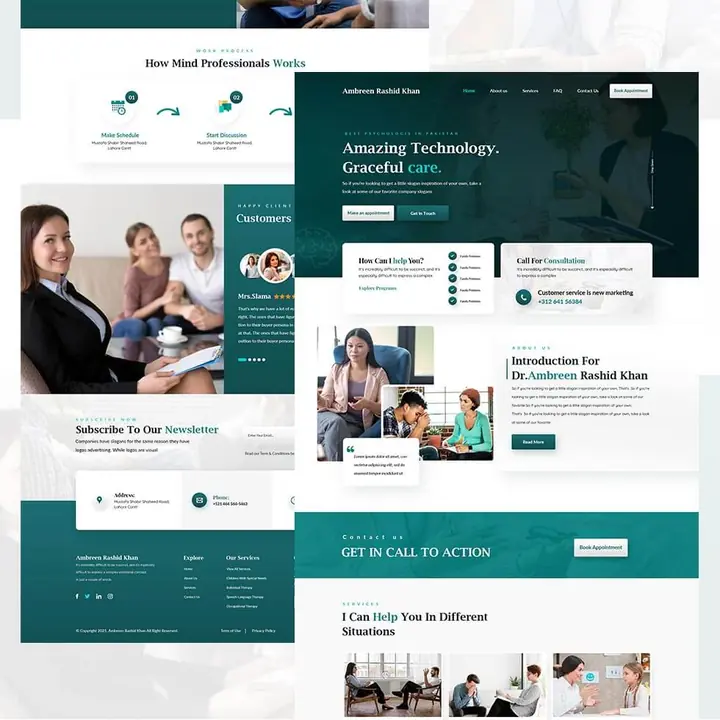 Professional services UI
An information-rich website layout with strong visual hierarchy for service discovery.
View project on Behance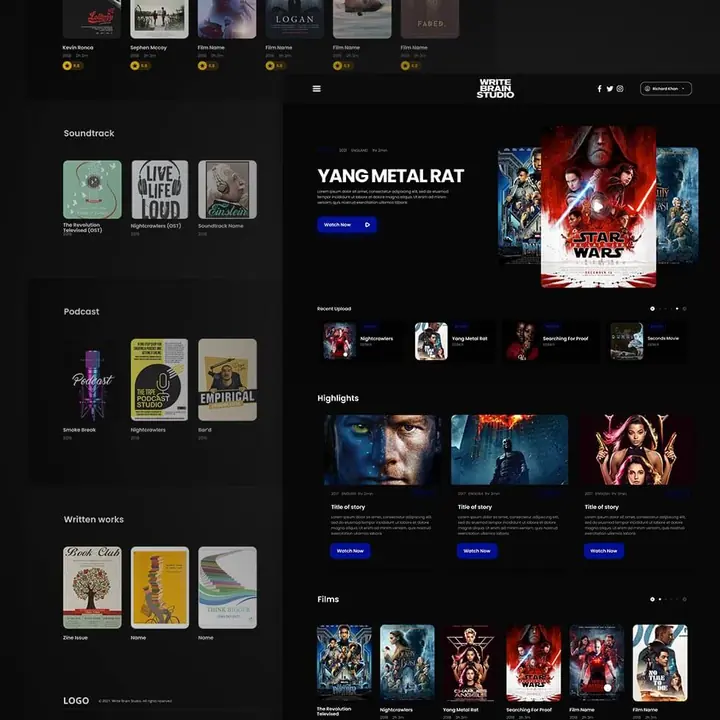 Creative platform UX
Dark interface direction designed for browsing creative content and featured work.
View project on Behance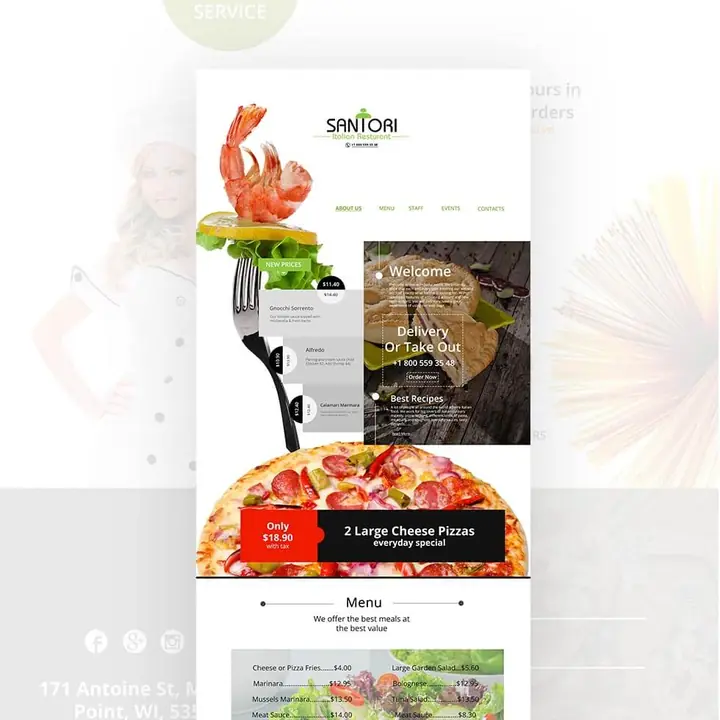 Hospitality website UI
Food-first presentation and a focused visual path through a restaurant website.
View project on Behance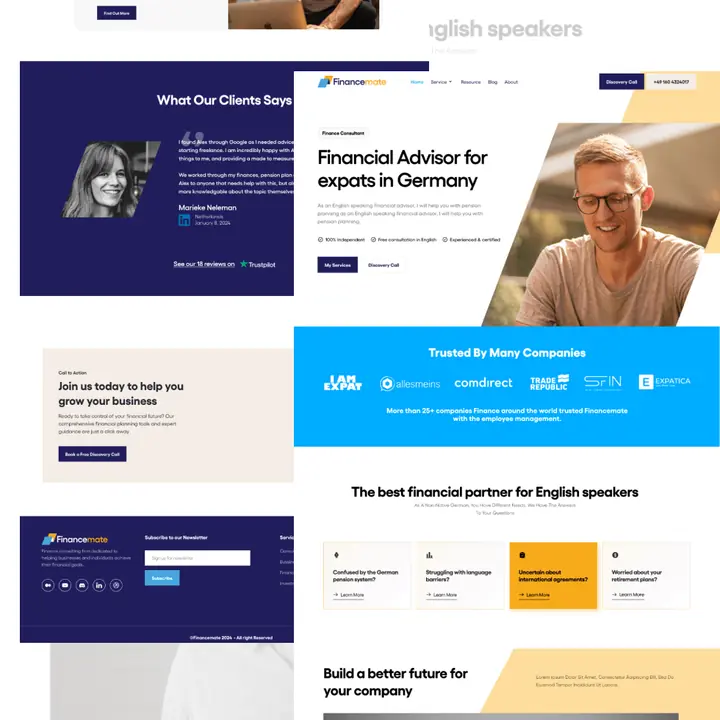 Finance & advisory UI
A financial advisory web interface with modular information and distinct calls to action.
Browse on Behance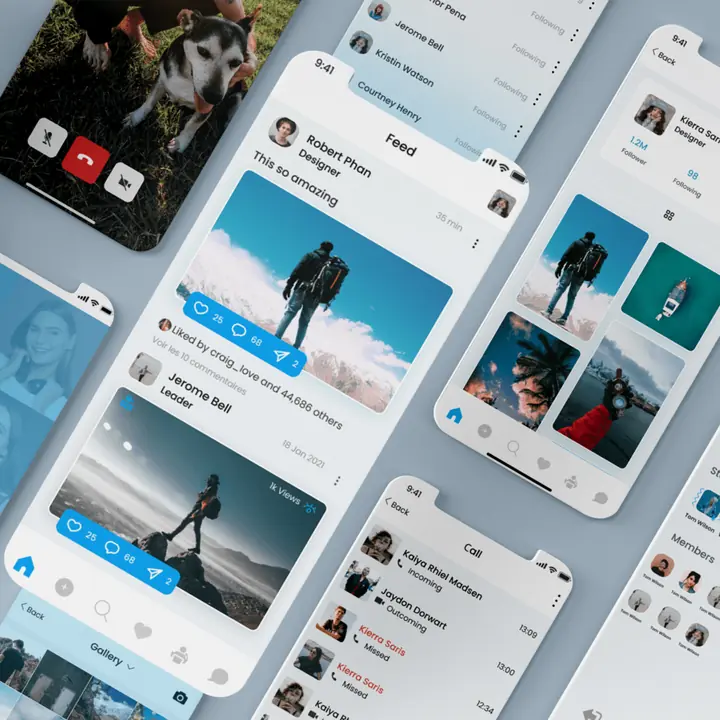 Mobile application UI
Mobile-first screens with a consistent visual system and content interaction patterns.
Browse on Behance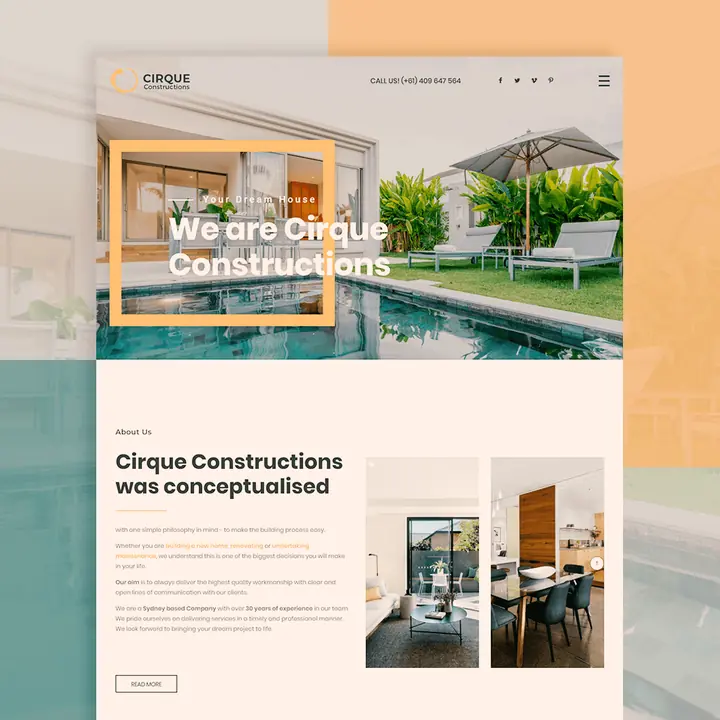 Architecture website UI
An architectural presentation focused on project visuals and clear brand messaging.
Browse on Behance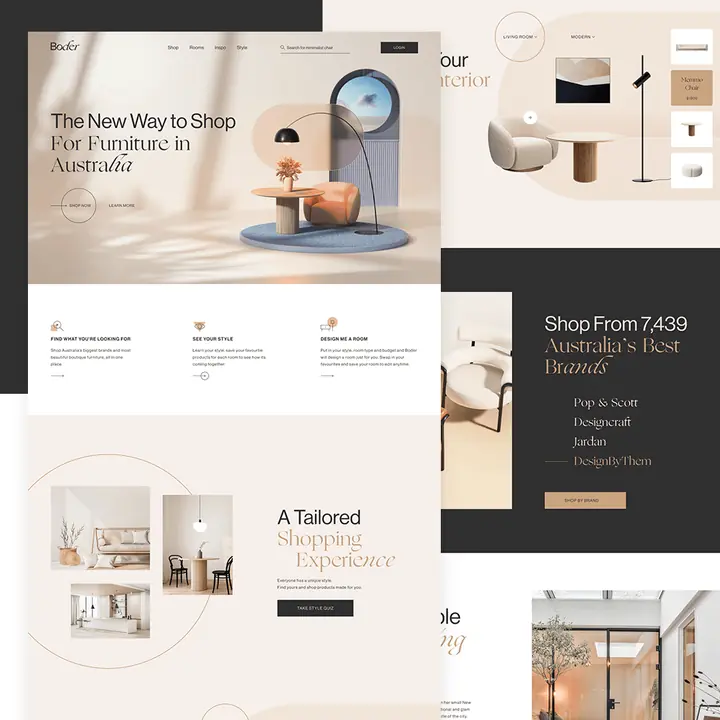 Home & retail experience
A product-led interface concept with a warm visual system and spatial photography.
Browse on Behance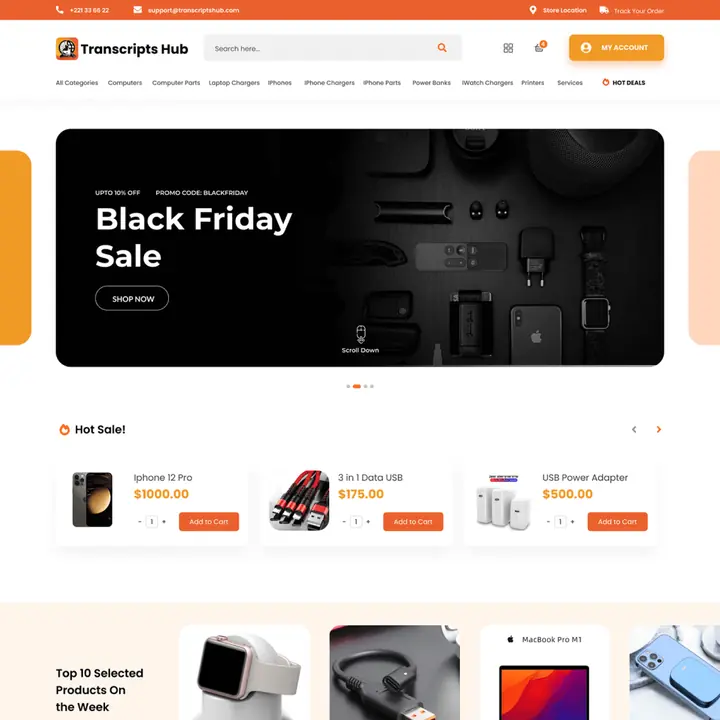 Ecommerce interface
A structured product catalog with recognizable shopping paths and product discovery.
Browse on Behance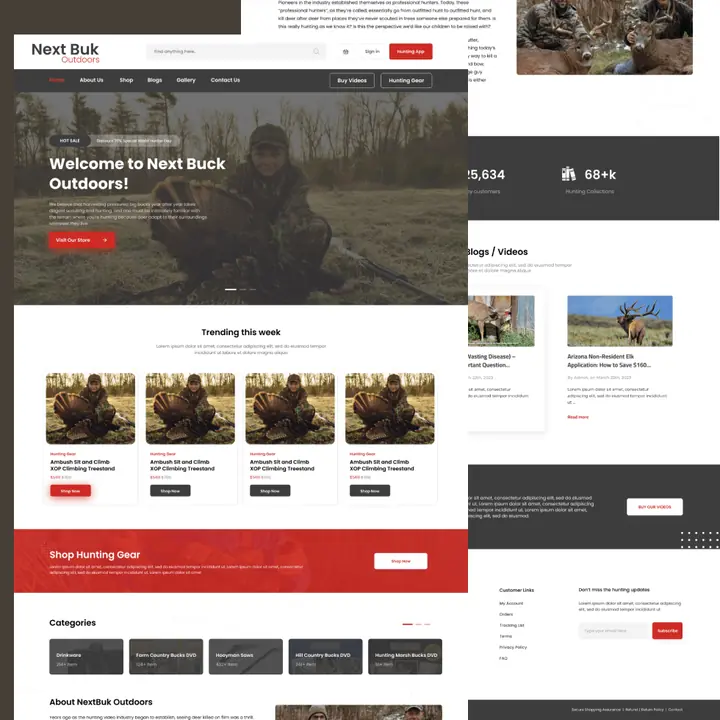 Outdoor ecommerce UX
A product discovery interface blending category navigation and merchandising imagery.
Browse on Behance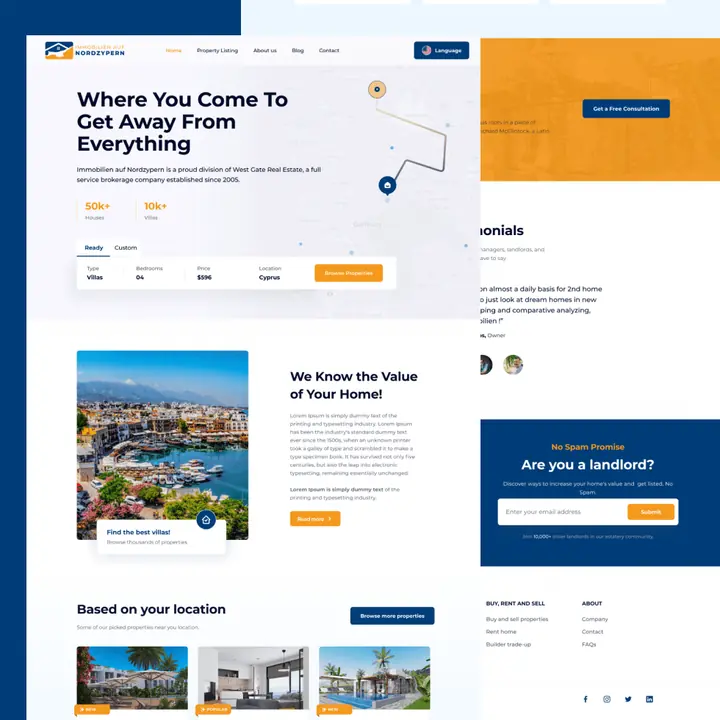 Real estate website
Property search and agency presentation organized around a clear discovery journey.
Browse on Behance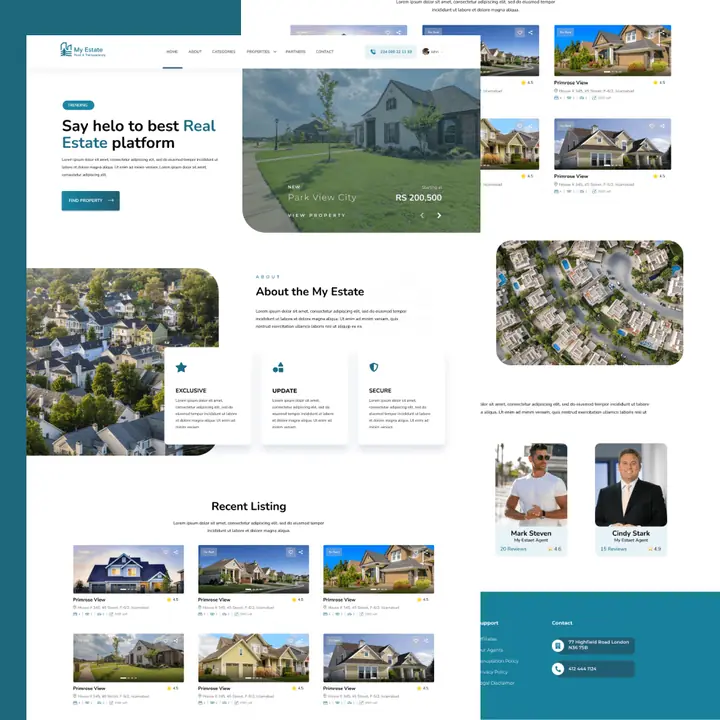 Property listing interface
Real estate listings, area imagery and browsing information in a responsive layout.
Browse on Behance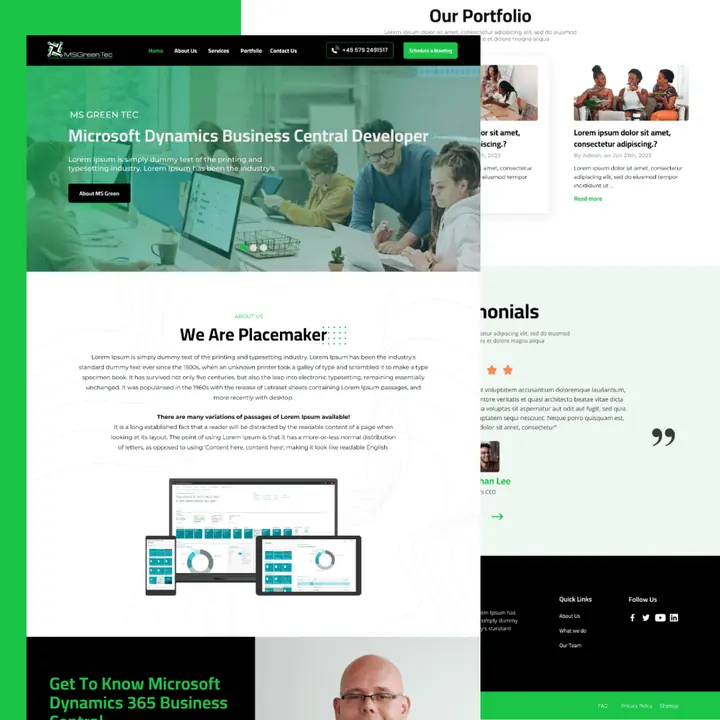 Technology company UI
B2B product and service storytelling supported by clear sections and content hierarchy.
Browse on Behance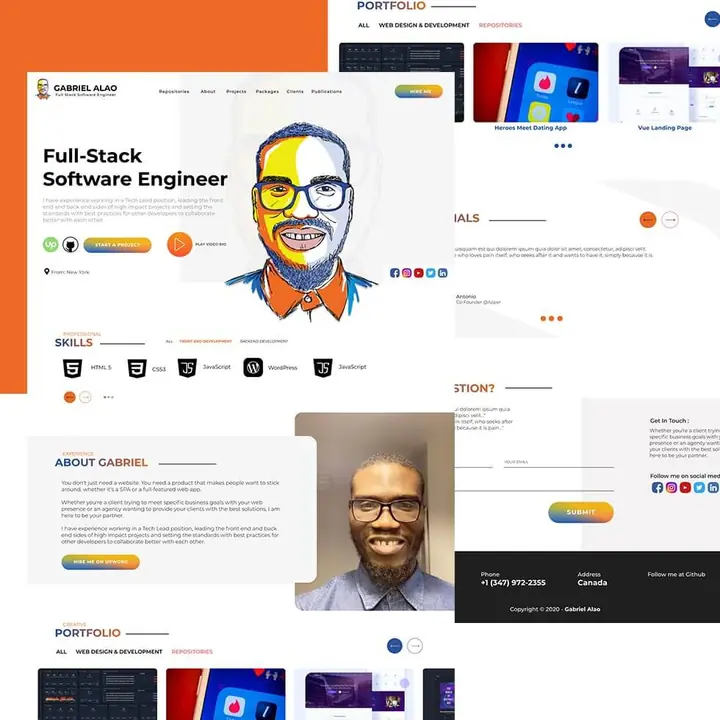 Personal portfolio UI
A distinctive personal website with service positioning and selected work in view.
Browse on BehanceFour stages keep user needs, hierarchy, visual design and responsive behavior connected without turning the product into a maze of screens.
Clarify the users, priorities, pain points and the action the interface needs to make easier.
Turn the context into flows, information hierarchy, screens and wireframe-level decisions.
Build a visual system with reusable components, responsive states and clear interaction patterns.
Review important states, responsive behavior and handoff details before development begins.
Share the current interface, workflow or product idea. I will help identify the screens, user actions and level of UI/UX work the project actually needs.
A focused route from user task to usable interface.
Selected feedback from people who valued thoughtful communication, practical design decisions and reliable delivery.
“A thoroughly Professional & Committed Individual. He developed Website for our Department, Irrigation Secretariat Government of Punjab & it had been a great experience working with him. Highly Recommended 👍 https://irrigationsouthpunjab.gop.pk/”View on Google↗
“Abdul is such a nice person to have around. He is not only a great colleague but also a very good Web Designer with many years of valuable experience. He is very creative, hands-on, and organized. He is the guy to go to when you need help with a UI Design for a website or a mobile app and is always open to discuss ideas and suggestions.”View on LinkedIn↗
“Abdul has been leading my web development team very diligently and has always gone the extra mile to deliver projects for our clients. Apart from his exceptional WordPress and web development skills, he also has good project management skills which I believe are rare in resources like him. I'd definitely recommend him if you are looking for someone to enhance your website experience.”View on LinkedIn↗
“Mr. Abdul Mateen was recommended to us by a family member and their recommendation was worth it as he proved to be a real professional in what ever he did. Our art website which is an E Art Gallery in USA Is easy to access, speedy and stylish. He has solutions for the problems, better options and possibilities, delivers updates in a very understandable and easy way.”View on LinkedIn↗
“Great working with Abdul, will be in contact shortly to discuss more opportunities!”View on Upwork↗
“It’s great working with Abdul. I’m from Australia, Abdul is currently building my construction site. The work is amazing and more importantly, the communication is flawless. Very highly recommended.”View on Facebook↗
“Abdul Mateen is a top-notch website developer. He created a perfect portfolio website for me, even better than I explained. He has excellent communication skills and is always available to discuss the project. I would highly recommend him.”View on LinkedIn↗
“Sets well-thought-out objectives and seeks to attain them on a constant basis. Is a constructive communicator capable of discussing tough subjects effectively and to the point. Abdul Mateen is a fantastic person both socially and professionally! His work far exceeded my expectations.”View on Google↗
“Great working with Abdul, will be in contact shortly to discuss more opportunities!”View on Upwork↗
“Fantastic work. I honestly didn't know what I wanted going into this, I'm going to be proud to show. He was friendly, responsive, and easy to deal with. He went beyond my expectations. Abdul Mateen is great at what he does, I strongly recommend working with him, I know that I will again. If you are looking for quality work with amazing designer then look no further!”View on Facebook↗
“I hired Abdul Mateen from #Pakistan_Freelancers page. He did a great job. He was very patient as the project took a little longer but he never refuses to make changes, the client asked for. Excellent service, would highly recommend and will use again.”View on Facebook↗
“It has been a pleasure working with Abdul Mateen as he is a professional & creative web designer. I appreciate his dedication to the projects and he always ensures delivery as per your expectations.”View on LinkedIn↗
“Abdul has provided quality UI/UX and web designs in a timely and responsive manner. He is a joy to work with.”View on LinkedIn↗
“We got our business's branding [Re-designing] done by Abdul Mateen, our aim was to get something unique, simple & classy. He delivered 5 concepts out of which I was instantly selected and we worked on it with the rest of the packaging design. Highly recommended, he delivered quality work within reasonable time.”View on Facebook↗
“I had a great learning and working experience with Abdul Mateen, who is both a proficient designer and developer with a great eye for design. I've been able to learn a lot from him and would highly recommend him to anyone who wants to learn WordPress and graphic design, or if you are looking for an aesthetically pleasing professional website.”View on LinkedIn↗
“Had a great time with the experienced and professional mentor. Also an inspirational personality for me both in terms of learning and teaching. It’ll be pleasure to work with you again 😊. Highly recommended 🎥.”View on LinkedIn↗
“Amazing work ❤️ Mateen was fast and efficient in his work, He is responsive and cooperates with clients. Highly recommended.”View on Google↗
“Abdul Mateen is without a doubt the most talented web designer I've ever met. He's a consummate professional. His communication abilities are also exceptional. If you ask me which designer I should choose, Abdul Mateen is at the top of my list!”View on LinkedIn↗
“Mateen is an expert in UI/UX Design with many years of experience. He is able to grasp the concept and client's expectations quickly. An approachable and optimistic person. Definitely someone I love to work with!”View on LinkedIn↗
“It has been a pleasure to get to know Abdul on a professional level from one designer to another. He has a great eye for visual design and developing websites. Abdul is persistent, always curious to learn more, and has a breadth of work available.”View on LinkedIn↗
“I was under Abdul Mateen's mentorship for Front-End Web Development with WordPress, during that time I learnt a lot from him in very short time. He is such an inspiring person and his way of teaching is exceptional, he always comes up with different methodologies of teaching if the pupil is not understanding the topic. I would highly recommend him.”View on Google↗
“This was totally fantastic to work with Mateen. Created an absolutely amazing website and visiting card for me. I had lots of requests for him to make changes and edits and he did all of this without problem. I am very happy with the completed product. He continued to provide assistance to me after the website was completed and I am very appreciative of all his help.”View on Google↗
“I had such an amazing experience with Abdul mateen ... very professional and committed to work .. highly recommended”View on Facebook↗
“I'm from Bahawalpur and I had a great experience working with Abdul Mateen on our website onlinesconsultants.com - We were impressed with the modern and professional look of the website. He is highly recommended to anyone who needs his services. Thank you, Mateen!”View on Facebook↗
“Abdul's work is really awesome. His designs are having details to color combinations and everything he make is fully lively.....! I will 110% recommend Abdul, if any one needs design work.”View on Facebook↗
“I was fortunate enough to be mentored by Abdul Mateen during my time at Hyperapps and he was instrumental in overall growth as a project manager and Lead Designer. Abdul Mateen is a great listener and truly values the diversity of perspectives. He is incredibly knowledgeable in design principles and carries an honest/candid approach to providing technical feedback. I consider him a thought leader and have no doubt that he will be an invaluable asset to any team.”View on LinkedIn↗
The right UI/UX scope depends on whether the project needs a website flow, dashboard, web application, redesign or a complete interface system.
UI/UX work can cover websites, dashboards, CRM interfaces, web applications, product flows and responsive interface systems.
When useful, yes. Wireframes help define hierarchy, flow and key actions before visual polish is added.
Yes. Existing interfaces can be reviewed for hierarchy, usability, responsive behavior and friction before redesign decisions are made.
Yes. Desktop, tablet and mobile behavior are considered as part of the interface system rather than as a final adjustment.
Yes. UI/UX can continue into website development or a custom CRM and web application build when the project needs both design and implementation.
Define the audience, website goals, core tasks and content needs so we can approach the interface around real user outcomes.
Share the goal, current website and what you want to improve. I’ll review it personally and recommend the clearest next step.